





Dolby Encoding Engine Wrapper
English readme • Magyar leírás
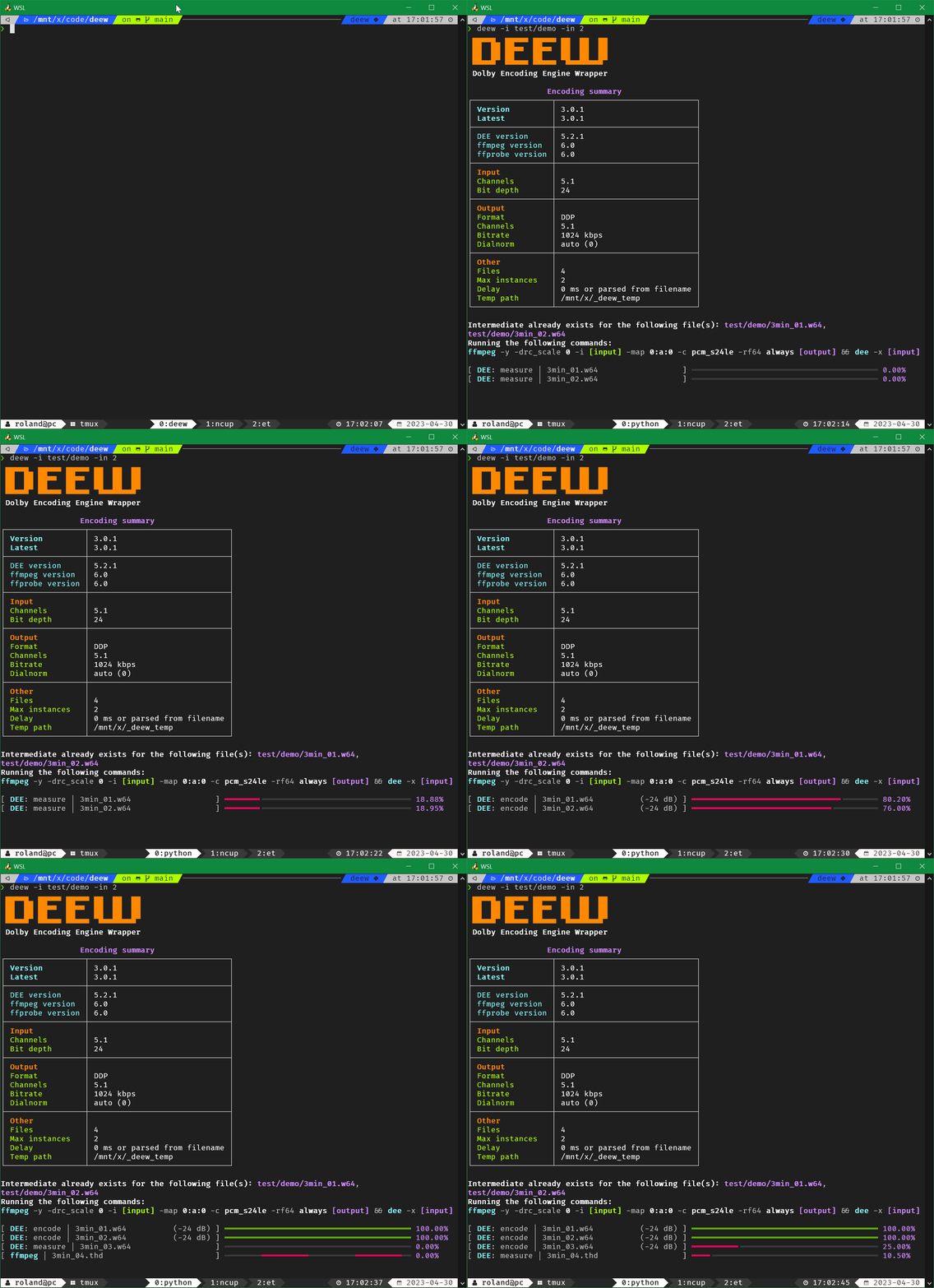
- handles Dolby's XML input fuckery and creating the RF64 intermediate in the background, giving you a proper tool
- runs multiple encodes in parallel for batch encoding (see config)
- supports WSL path conversion for the Windows version of DEE (see config)
- automatic sample rate conversion using ffmpeg's soxr resampler in case of an unsupported sample rate
- for DD/DDP/AC4 unsupported rates will be converted to 48 kHz
- for TrueHD unsupported rates will be converted to 48 kHz if source sample rate is lower than 72 kHz, otherwise will be converted to 96 kHz
- automatic channel swapping for 7.1 sources (DEE swaps Ls Rs with Lrs Rrs for some reason)
- automatically compensates for DEE's 256 sample delay (DD and DDP encoding)
- works even with video inputs
- versatile delay option that supports ms, s and also frame@fps formats, parsing delay from filenames also supported
- ffmpeg
- ffprobe
- Dolby Encoding Engine
- install DEE (if you use macOS, install DME)
- for TrueHD encoding support you need the Windows version
- if you use WSL using the Windows version is recommended
- if you use the Windows version of DEE under Linux (and not from WSL) / macOS install
wine-binfmt
- if DEE throws
Failed to load library "...dll".errors when you run deew install VisualCppRedist AIO
- grab the latest build (
deew/deew.exe) from: https://github.com/pcrlnd/deew/releases - on Linux make it executable:
chmod +x deew - run with:
deew(deew.exeon Windows)
(run the binary from terminal, doubleclicking it won't work) - on the first run it will create a config file
- updating: grab the latest build from: https://github.com/pcrlnd/deew/releases
- install Rust if you don't have it already: https://rustup.rs
- run:
cargo install deew - run with:
deew - on the first run it will create a config file
- updating: run the same command again:
cargo install deew
deew -h
- download
deew-gui/deew-gui.exefrom https://github.com/pcrlnd/deew/releases and put it in the same folder as the CLI binary (it looks fordeewnext to itself,deew.exeon Windows) - on Linux make the binaries executable:
chmod +x deew deew-gui - Linux needs the WebKitGTK runtime:
libwebkit2gtk-4.1-0(Debian/Ubuntu),webkit2gtk4.1(Fedora),webkit2gtk-4.1(Arch) - Windows 10/11 already include the needed
WebView2runtime - the GUI has its own version number, independent from the CLI
- build from source:
cd gui && npm install && npm run tauri build -- --no-bundle(the binary will be ingui/target/release/), for development usenpm run tauri dev - more details (development, web mode, security notes): GUI readme
deew-webis the GUI in your browser, can be handy for a headless server (no WebKit needed)- download
deew-web/deew-web.exefrom https://github.com/pcrlnd/deew/releases and put it next to the CLI binary, - on Linux run
chmod +x deew-web - run it and open http://127.0.0.1:8765, use
--host 0.0.0.0to make it reachable from other machines - login: run the
deew-web --hash-passwordcommand and paste the hash into yourconfig.tomlfile - build from source:
cd gui && npm install && npm run build && cargo build -p deew-web --release(the binary will be ingui/target/release/)
If you don't want to use full paths for the binaries in your config or when you use them from CLI, I suggest to setup system PATH variables
- open
cmd.exeas administrator - run a
setx /m PATH "%PATH%;[location]"command for each path that contains binaries
(replace[location]with the path) - for example:
setx /m PATH "%PATH%;C:\bin\dee"
setx /m PATH "%PATH%;C:\bin\ffmpeg"- add a
PATH="[location]:$PATH"line in your~/.bashrcor~/.zshrcfile for each path that contains a binary
(replace[location]with the path) - for example:
PATH="/usr/local/bin/dee:$PATH"
PATH="/usr/local/bin/ffmpeg:$PATH"deew -i *thd
TrueHD -> DDP encoding
deew -b 768 -i *flac
DDP encoding at 768kbps
deew -f dd -i *dts -k
deew -f ddp -i *dts
encode multiple formats/bitrates while creating the temp file only once