
Git Commit Message Helper is an IntelliJ Platform plugin for writing cleaner, more consistent commit messages without leaving the IDE. It combines a structured commit editor, customizable Conventional Commit templates (powered by Apache Velocity), and LLM assistance that speaks your gateway's protocol.
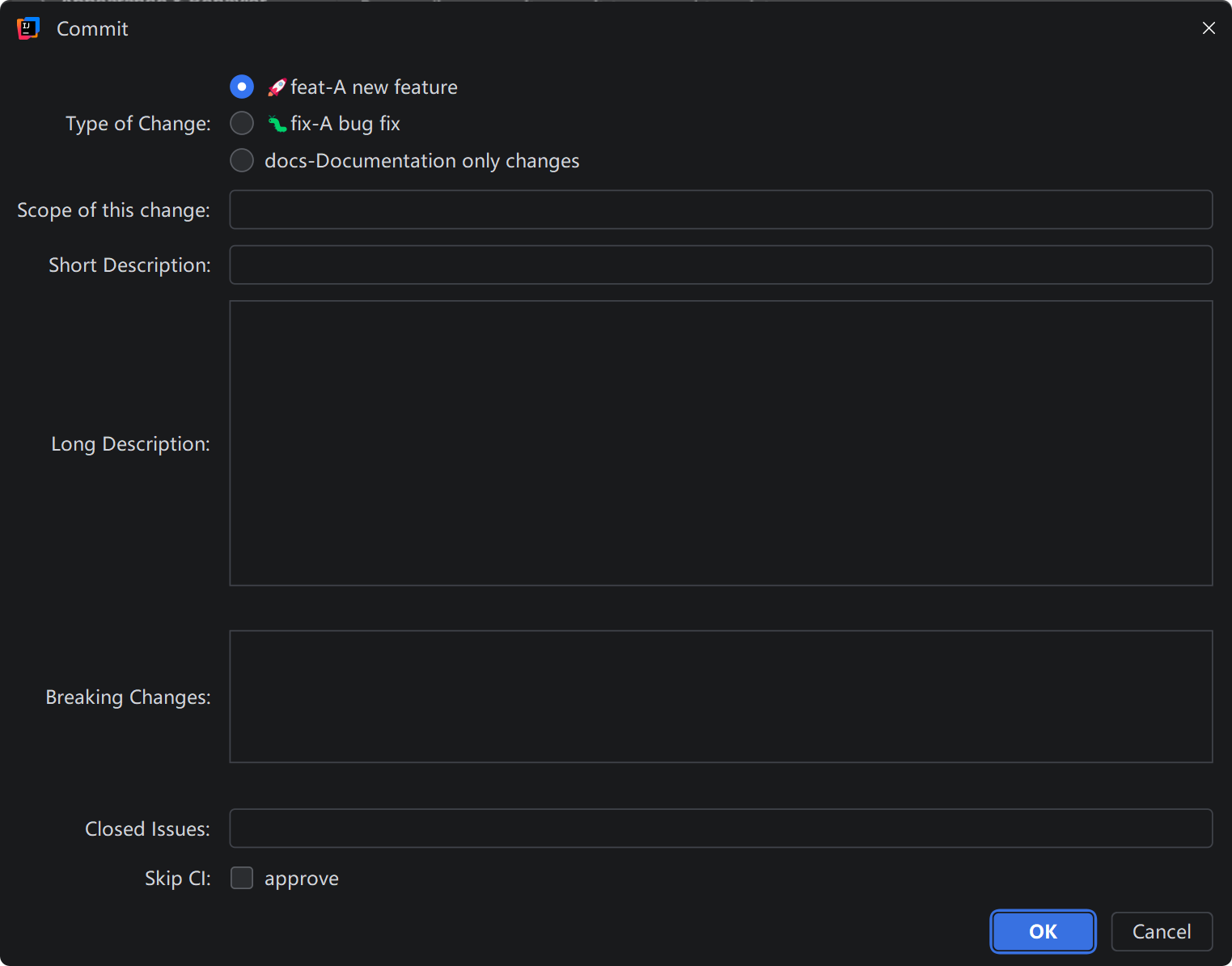
Install from the JetBrains Marketplace:
File → Settings → Plugins → Marketplace → Git Commit Message Helper
The plugin adds four actions to the VCS commit message area. Each one can be shown or hidden in the plugin settings.
| Action | What it does |
|---|---|
Generate Commit Message |
Generates a message from the selected changes via LLM. |
Generate Commit Message With Additional Context |
Adds per-request requirements first — closed issues, skip-CI notes, bug descriptions — then generates. |
Format Commit Message |
Rewrites the current draft to match the configured template. |
Create Commit Message |
Opens the structured editor for manual composition. |
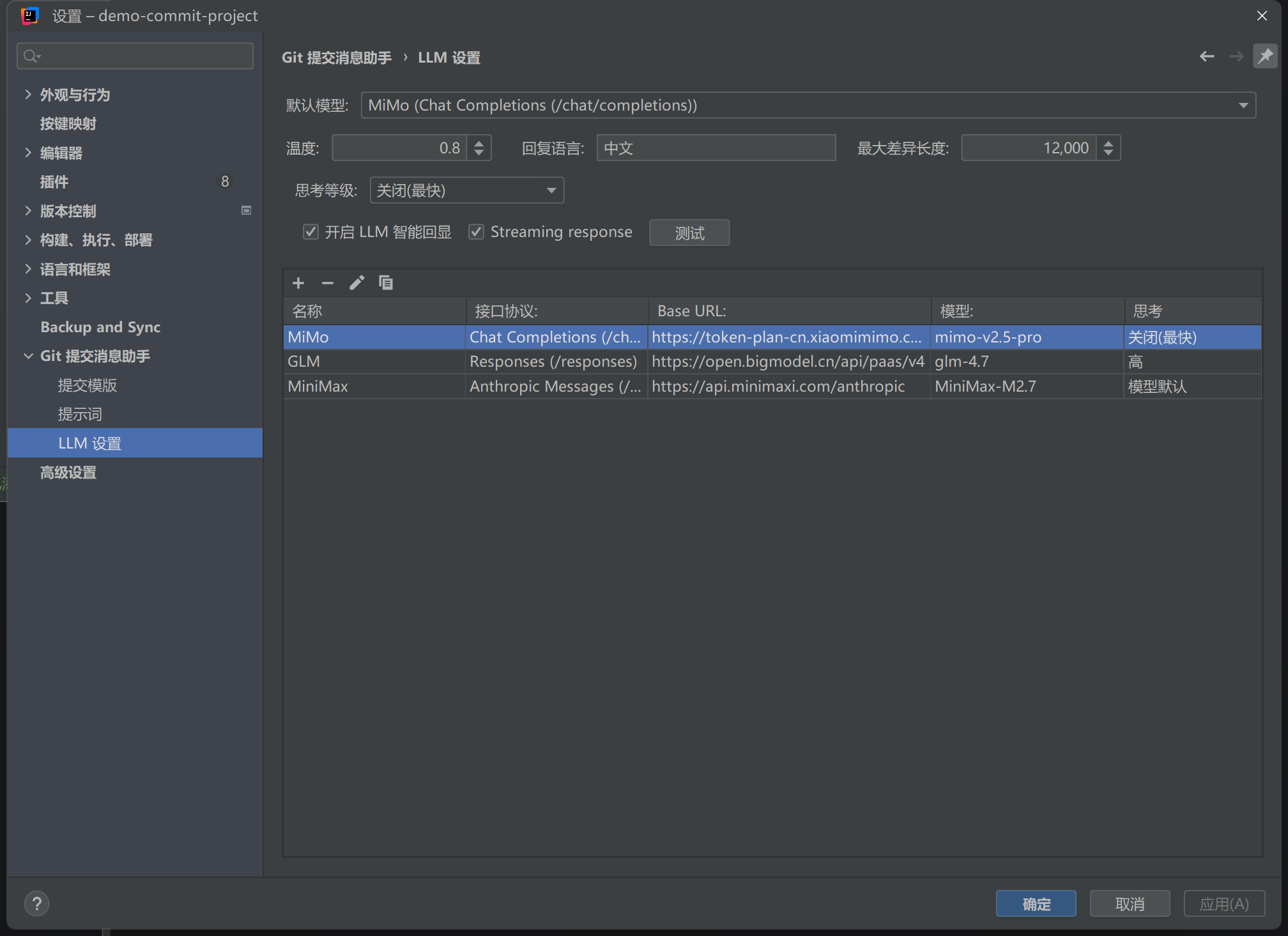
Open File → Settings → Git 提交消息助手 (Git Commit Message Helper). Everything is configurable:
- Commit template (Apache Velocity), multiple templates with global/project defaults
- Allowed commit types and their descriptions
- Type display style, hidden fields, and skip-CI presets
- Reusable prompt profiles with global and project defaults
- Four commit action visibility toggles
Each model profile picks one of three API formats, so one base URL works with whatever protocol your gateway speaks:
| API format | Endpoint | Notes |
|---|---|---|
Chat Completions |
/chat/completions |
OpenAI-compatible endpoints (OpenAI, DeepSeek, Qwen, Moonshot, MiniMax, ...) |
OpenAI Responses |
/responses |
OpenAI Responses API and compatible gateways |
Anthropic Messages |
/v1/messages |
Claude and Anthropic-compatible gateways |
The Base URL can be a full endpoint or a server base such as https://api.openai.com/v1 — the plugin appends the matching path automatically.
Every profile has its own thinking level and parameter preset. Presets include automatic compatibility, model default, reasoning_effort, reasoning.effort, thinking.type, enable_thinking, Anthropic token budgets, adaptive thinking, and custom JSON mappings. Only mapped levels appear in the selector; new profiles default to the model's own behavior and send no reasoning parameter. Automatic compatibility preserves existing profile behavior. If a provider explicitly rejects a reasoning parameter, the plugin retries without that parameter and caches the result; unrelated parameter errors do not remove the reasoning configuration.
For custom gateways, choose a preset and configure the mapping for the exact model and protocol. Mappings do not automatically discover upstream capabilities. The Anthropic budget preset supports the $thinking_budget placeholder and validates it against the configured response token limit.
For always-on reasoning models, Model default preserves their native behavior; it does not mean thinking is off. A custom mapping containing only ENABLED exposes no Off or graded choices. See thinking configuration examples for MiniMax M3 / M3.1 Flash and protocol-specific defaults.
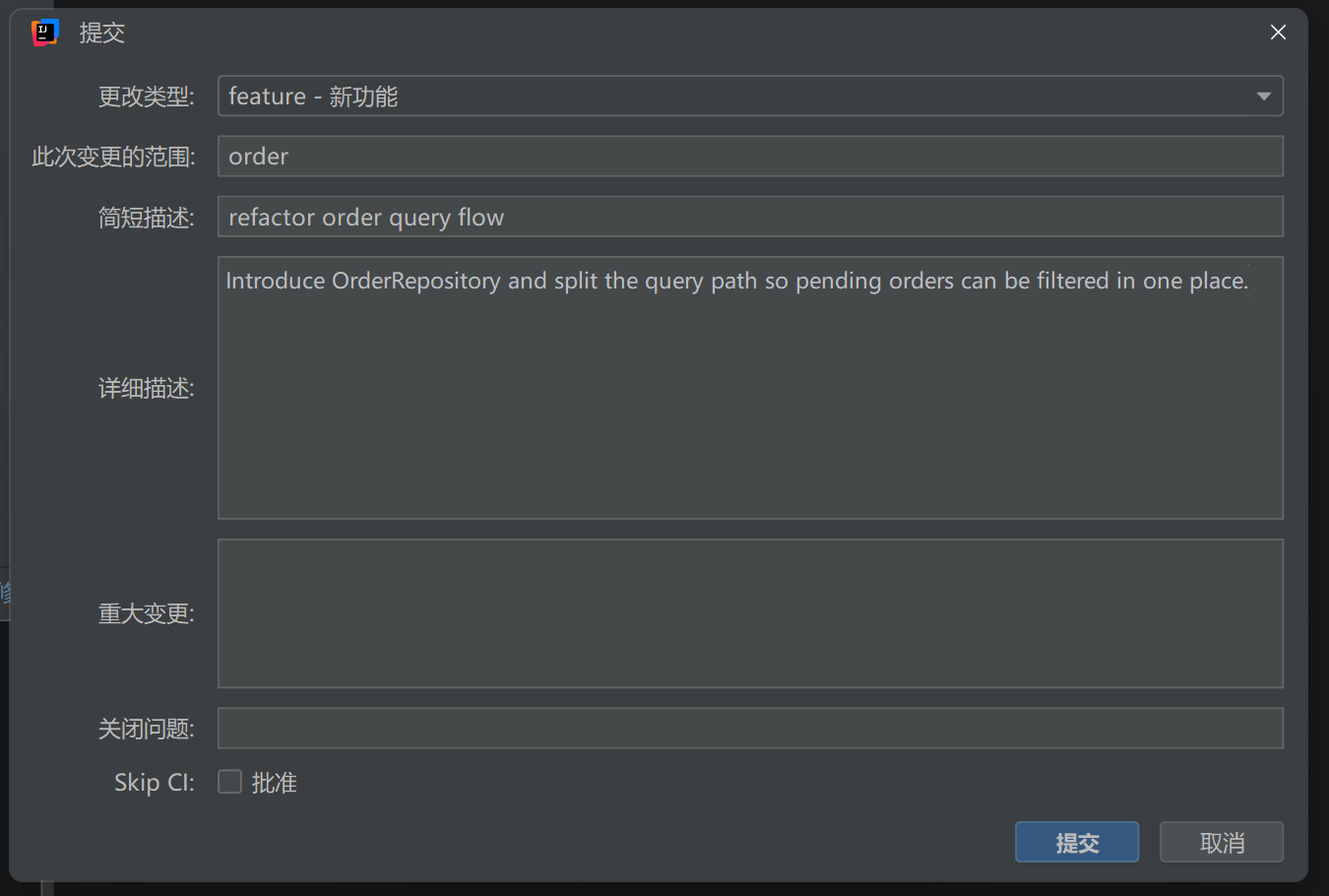
Smart Echo: when the commit panel already contains text, the structured editor can ask the LLM to parse it back into fields (type, scope, subject, body, changes, closes, skipCi) so you can refine the draft instead of starting over.
- Java 11, Gradle IntelliJ Plugin, targets IntelliJ Platform
2024.1+
./gradlew buildPluginLicensed under the Apache License 2.0.